Top 5 Ways That Teletherapy Benefits School Districts

Teletherapy, or online therapy, has become more and more popular for many school districts in virtual and brick-and-mortar settings. From rural to inner city schools, teletherapy helps many districts solve the issues they have around hiring and keeping therapists to serve their student population. 

If you’ve considered adding teletherapy services to your school, or wondered if it would be right for you, you are not alone. Increasingly, school districts are seeking out teletherapy as an alternative to searching for hard-to-find and hard-to-keep therapists each year. But even as you start to look into teletherapy for your district, you might not be aware of how it really works and what benefits teletherapy can offer. 

Here are the top 5 things every school district should know about teletherapy :

  1. Therapy services offered: PT, OT, SLP, and Counseling
    • Teletherapy offers the full range of therapy services, including speech, physical and occupational therapy, also counseling services such as social work and psychological services. 
    • Students participate in group or individual sessions with licensed, certified therapists, the same that an on-site therapist would conduct.
  2. Saves you money: While this depends on the particular district and budget, teletherapy often saves school districts money.
    •  Instead of paying a full time salary, insurance, travel time, and other expenses, you are contracting with a company like E-Therapy to fill the needs you currently have. This allows you to hire exactly what you need, spending only what you are able to. 
    • Teletherapy saves on the additional costs that districts face when they have a shortage of therapists, or have therapists working in different campuses across the district. The cost of providing materials, travel and gas expenses, and even the extra cost of the therapy room are lessened with online therapy. 
  3. Saves you space: If you are short on physical space it gives you an “extra” room in your building to use.
    • If your district struggles to find a spot to fit all of your teachers, admins, therapists and support staff, teletherapy offers you the perfect solution. Your students get the services they need, while only needing access to a computer, not an entire therapy room. 
    • Students can login from a quiet computer room or even use the computers in an empty room or quiet, private location within the classroom. This frees up additional rooms for others who may need the space. 
  4. Students love it! 
    • Students love using computers and technology. With online therapy, they get to use the computer to “play games”, listen to stories, or watch videos, which are all part of their therapy sessions. It makes the session feel less like “work” and more like a fun break during their day. And because of this, it becomes very interactive and motivational. 
    • In High School and Middle School, it is often difficult to get students to engage and attend therapy sessions, due to schedules, social stigma, and the students not being as interested in “another class”. With teletherapy, older students are more engaged due to being able to use technology vs going to the speech room to do a worksheet or play a “childish” game. 
  5. It works: Bottom line. 
    • Teletherapy is proven to be as effective as in-person therapy in study after study. Since you are video conferencing, therapists and students are still face-to-face using additional document cameras or sharing screens as needed to share and work on materials and games. 
    • Teletherapy helps you connect your schools and therapists easily, because it is as simple as sending out an email to connect and collaborate on students progress and needs. Many therapists report that they are more connected with teachers and families working in the teletherapy setting than when they worked in traditional school or clinic settings.

No matter what your needs may be for therapists, teletherapy can be the solution you’ve been looking for.

How to get started with teletherapy

If you are ready to add these services to your school, or want to know even more about how it works, please reach out to E-Therapy at Info@electronic-therapy.com to schedule a time to meet with us. 
Original Source

Teletherapy Tech Tools: Using Dice or Number Generator Files

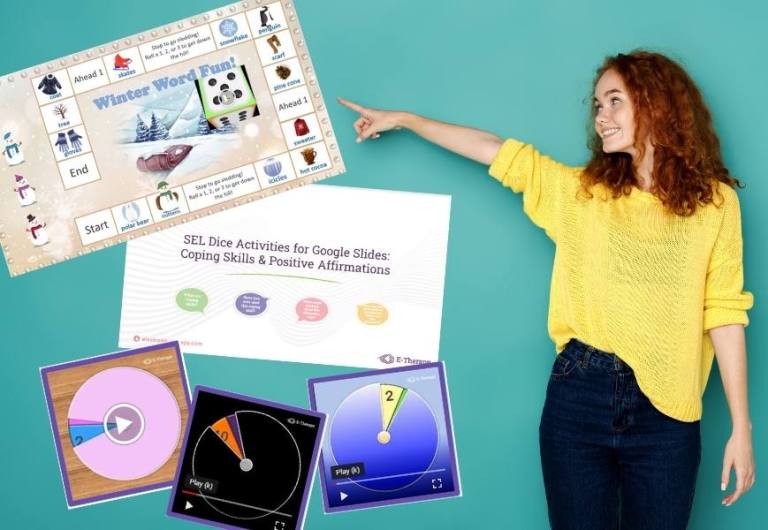
Number generator files are video files that when played or clicked on, resemble flipping dice. The file can be inserted into SeeSaw activities as well as a Google Slide game board or activity. Use flipping dice as an interactive tool for taking turns during online activities. 

Click here to get a copy of the Number Generator Tutorial: Dice Tool for Google Slide Activities. You can copy and paste the pre-made dice into your own activity (see slide 3). If you prefer PowerPoint, see slide 4 to get directions for making number and dice generators video files.

https://www.youtube-nocookie.com/embed/daWW1PkO5Xw?feature=oembed&controls=1&autoplay=1&enablejsapi=1&rel=1

Using video files to create customized dice games

Another effective way to use video files created in PowerPoint is to insert other images or written content on each slide. When you play the video file, it looks like a flipping die. Use it the same way you use printable dice for tabletop games. 

Click for our FREEBIE customized SEL activities for coping skills and positive affirmations activities to see this in action. 

number generator files

Want more activities? Learn how to create your own Green Screen so you can play online games with your teletherapy students.

Source

2021 New Mental Health Ideas For Your School Staff

Challenging, trying, fatigue, and hardship are just a few of the words to describe 2020! However, 2021 is here, and we can use all the resources available to help reset our minds and go into 2021 with a revived attitude and presence. We have compiled some great mental health ideas to help your staff and students take a break from the mundane day-to-day tasks and start to enjoy life again. 

Organize a mental health learning day 

Is your staff tired, stressed, and needs a break from the day-to-day? Well, we have an idea! Organize a day for your staff to take a break and relax. Use local companies to come in and give your staff a break on their next in-service day!

Ask local companies to donate their time to the school. Have local restaurants drop off breakfast and lunch then ask local businesses like massage therapists to come in and give chair massages. You can break out in the gym or each classroom has a different local company.

What better way to treat your staff than giving them food, massages, yoga and meditation lessons, or even have a local doctor come in to talk about ideas to create a healthy mind. 

Create an ‘Appreciation’ bulletin board

This is fun and easy to do! Create an appreciation bulletin board in a secure area such as the teacher’s break room or by the principal’s office. Decorate the bulletin board and each month acknowledge a different staff member with the whole board decorated with their images, quotes, and fun facts about that teacher/staff member.

The teacher can also be awarded a gift certificate to a local place to unwind. Contact local businesses again and they will be glad to donate. It would also be great to fill a basket with items such as bath salts, face masks, candles, a meditative book to read, or any items you think are related to helping that teacher de-stress. 

Promote well-being in your school 

Create an environment in your school where teachers/staff members feel comfortable. For example- organize an after-school workout class. Make it fun and inviting and more staff will come. Maybe make it a fun day by having the teachers dress in their best workout gear (80’s or 90’s style) and take advantage of free local classes.

After the class invite everyone to a healthy restaurant for snacks to celebrate. Not everyone will come to the class and some may feel uncomfortable and that’s ok. You can switch up the activities you are doing and maybe more will join in. Also, if the students see you having fun doing challenging things- the more likely they will do the same! 

For more ideas and resources please follow us on Facebook.

mental health ideas

About the author

Diana Parafiniuk, M.S., CCC SLP Founder/CMO

Diana founded E-Therapy in 2009 after finding herself driving hundreds of miles per week. She knew there must be a better way to deliver speech therapy to students and schools. Today, E-Therapy is an established market leader in teletherapy which provides the highest quality services and reaches students and schools across the United States. Read more about Diana.

This post was first publish on https://www.electronic-therapy.com/blog/2021-new-mental-health-ideas-for-your-school-staff/

Free July Teletherapy Activities And Games

July often means a much deserved summer break for many therapists and teachers. Here at E-Therapy, we also recognize that there are plenty of year-round and extended school year programs that are still going strong through the summer months. Read on to learn about all the fun teletherapy activities we have in store for you to help you stay prepared all summer long.

July Calendar of Activities

July teletherapy activities

Don’t sweat it this summer; we’re taking the heat off and keeping you cool with the latest edition of our E-Therapy Daily Activity Calendar. Download your free copy of our July calendar for access to fun and engaging activities for your students. Our July calendar is filled with links for every day of the month that will allow your students to explore the fun and excitement of national celebration days such as National Ice Cream Day, National Kitten Day, and Cheer Up the Lonely Day.

Summer Dress Up Pets Jamboard Activity

July teletherapy activities

Get Puppy ready to take a walk. Get Cat ready for the beach. Get Sloth ready for the park. Can it get any cuter? E-Therapy’s Jamboard digital paper doll activity allows students to drag and drop clothing items to customize their Summer Dress Up Pet. This teletherapy activity is great to target clothing naming and color and location concepts. It’s also a great way to work on a huge variety of expressive language skills. Don’t miss grabbing your free copy!

Summer Fun! PowerPoint Memory Games

July teletherapy activities

Looking for more summer fun for your students? Look no further than E-Therapy’s open-ended Summer Fun PowerPoint Games! Game 1 is appropriate for younger students or students more responsive to picture clues. Game 2 is appropriate for older elementary students who are readers. Because these games are open-ended, they are useful for students with varied speech therapy goals and are also great for reinforcement. Both games require that you share your screen with students during teletherapy sessions and can also be used during onsite sessions with an iPad.

Camping Virtual Sticker Scene

July teletherapy activities

We hope you enjoyed our newest resource series release in June, E-Therapy Virtual Sticker Scenes. Missed them? Don’t worry! We’re back with another sticker scene that’s perfect for summer and can easily carry you into fall, too.

Check out E-Therapy Sticker Scene: Camping. Our Jamboard sticker scenes are perfect for remote or in-person therapy sessions to target a variety of goals or can be used as a reinforcing activity allowing students the opportunity to create a picture scene for a job well done in their session.

Get monthly teletherapy activities to use in your online therapy sessions

Do you love our July teletherapy activities, games, and calendar? Check out our monthly Activity Round-ups for even more fun online games and activities that can easily be used in your online teletherapy sessions.

This post was originally posted on: https://www.electronic-therapy.com/blog/july-teletherapy-activities-games/

Practical Guide: Your First Remote IEP Meeting

How a SPED case manager organizes remote IEP meetings

by Diana Parafiniuk

The Department of Education has made it clear that all students, including students with disabilities, continue to receive an excellent education during emergency school closures due to Covid-19. Newly-minted teletherapists feel like a fish-out-of-water, especially when thinking about conducting a remote IEP meeting! 

We have had numerous questions come in, and the one that has surfaced repeatedly is “How do I have an IEP meeting now?”

To answer that question and share practical tips, we want to share our expertise on how to conduct IEP meetings virtually while students are at home.

Watch our weekly Ask The (Tele) Experts Facebook Live with Annmarie Iascone.

Download the Remote IEP Checklist-E-Therapy

remote IEP meeting
IEP checklist

Are HIPAA requirements being relaxed now? 

Due to the ongoing  COVID-19 pandemic, some rules have been relaxed so that schools and parents can access curriculum and services the quickest and easiest way possible. Here is the latest guidance on that HIPAA

Are IEP meetings required and when should they be held?

During this time of year, a typical annual IEP meeting schedule would be required. Even though students are at home, it is important to follow the annual IEP dates of renewal. 

If your student’s annual IEP date ends during this school closure, you have the option to file an extension on your IEP platform, to provide your team more time to prepare for the meeting in a remote setting. 

How many people are required to be at the IEP meeting? 

All members of the team, including parents, should be present even though the IEP meeting is being held remotely. Be sure to fill out on your Prior Written Notice (PWN) that the IEP meeting was held via Telepractice Service Delivery Model. 

Since everyone is connecting remotely, are there requirements about recording the meeting?

If you are the organizer and host of the meeting, you can record the meeting and store it. You must notify all members of the team that you will be recording the meeting and get their permission, should you decide that you would like to use this option. 

Who is responsible for calling IEP team members together? 

Team member roles still apply if the IEP meeting is being held remotely. Typically, the SPED case manager is the organizer of the IEP meeting and is responsible for inviting all members, providing the agenda, taking notes, and providing final drafts and meeting notices of what took place at the meeting.  

All of these responsibilities are still necessary no matter how the meeting has taken place, whether onsite or remote. 

How long should the IEP meeting be? 

Allocate an hours time for the IEP meeting. It may run longer or shorter depending on the individual needs of the student who is receiving services. Allocate the necessary time for the entire meeting so that you are not interrupted by background, at-home activity. 

Do we have to be on video or can we have a call-in meeting?

I recommend that you share your webcams – even if you are uncomfortable being on video –  because your families and team members are used to being onsite, in person, and the remote IEP meeting will feel more like your onsite meetings if you can see one another. 

I’m not good at technology. How do I get ready for my first online IEP meeting?

Conducting an IEP meeting remotely is equivalent to conducting an IEP meeting onsite. There are a few details with moving it online that you need to get comfortable with:

  • Set up your meeting space 
    It is important that you are located in a quiet room with good lighting so that the IEP team can hear and see you clearly.
  • Prepare IEP copies in advance
    You will need to make sure that every team member has a copy of the draft IEP before the meeting takes place, so that team members can follow along during the meeting.

    If there are discussions and changes to the IEP while the meeting is being conducted, inform all team members that they will receive an updated and final version of the signed IEP once the meeting is concluded.

If there are members of the team that cannot access the copy of the IEP, then make sure you understand how to screen share, so everyone is looking at the same thing.

  • Send a digital invitation in advance
    Using your district’s preferred teleconferencing platform, create a meeting and get the link. You will need to digitally invite all team members with the appropriate time frame of the IEP meeting notice, usually not less than 7 days before. 

    Make sure that all team members receive a meeting link with the correct time and date and online link that the team will be using for the IEP meeting. 

    Make sure that all team members have RSVPd to ensure that all members will be available to attend the remote IEP meeting. One day before the meeting, send a reminder to team members and parents.
  • Test the tech
    Log on 10-15 minutes early, so that you can test your microphone and speakers to make sure that you can host the online IEP meeting successfully.  

Additionally, make sure that you have a digital copy of the IEP that you can share on your screen as you refer to different parts of the IEP while you are reviewing each section. You can use the highlighter on your platform to outline or highlight different reference points you are talking about.

Inform the team how to use online digital tools, such as “raising their hand” or muting or unmuting their microphone when they want to speak.

Do I need to do anything after the IEP meeting?

Summarize any changes that were made to the IEP before the meeting is over. If there are action items, make sure everyone understands what they are to do and when. Make sure that everyone digitally signs the IEP.·

Mail a copy of the IEP and any additional documents to the parents and other team members post meeting. You can also send them a copy via email. 

Ask teletherapy questions on our Facebook page

If you have additional questions about IEPs or anything else related to teletherapy, send us your question via our Facebook page, https://www.facebook.com/ETherapyServices.

We will answer them on our weekly Ask The (Tele) Experts Facebook Live.

Source

Integrate Teletherapy as Part of an Overall School Plan

School administrators are ready to integrate teletherapy as part of an overall plan to provide comprehensive special education and mental health services

Due to the pandemic, educators, school districts, students, and parents across the country were catapulted into remote learning. They learned on the fly, adjusted, and re-adjusted. This thrust into remote learning also revealed technology resource inequities among our families. In addition, some parents, students, and educators began to see remote learning and teletherapy services as an opportunity to reach and motivate students in different ways.

Education delivery models are changing and evolving. School may never feel or look the way it did prior to the pandemic. More families and students of varying age levels will seek remote options. Forward thinking districts are anticipating and preparing for these options as we speak. 

What will education look like in the fall? 

  • Will class sizes remain smaller due to public health guidelines or to address documented learning loss? 
  • Will districts be able to determine the learning loss for the Covid Generation and provide initiatives to address documented academic losses?
  • How will schools address the mental health needs of their students and community?
  • Will schools offer remote options for students who are hospitalized,  medically homebound, incarcerated, suspended from school, or prefer to learn from home?
  • What will professional development and curriculum look like and sound like for educators?

How can forward thinking administrators, teachers, and schools lead the way? 

  • Make informed decisions. Use data to help drive decisions- both derived and observational.
  • Communicate directly with families and teachers.   Tell about the positives of remote education and teletherapy services, but be up front about unexpected negatives, as well.
  • Use the previous year’s experiences. You have valuable baseline data to create programs that incorporate remote education, special education services, and mental health services via teletherapy.
  • Don’t got it alone. Partner with neighboring districts, join consortiums, or apply for grants that provide opportunities to build an effective education delivery model for remote learning and teletherapy.

What is the solution? E-Therapy is ready today and for the future

integrate teletherapy
download PDF version

E-Therapy provides Direct Related Services to school across the USA

Schools often need professional and experienced remote staff to cover different scenerios. E-Therapy can help with:

  • Student case overloads
  • ESY
  • Compensatory services
  • Staff maternity or medical leaves
  • Provider shortages

Integrate teletherapy into your overall school plan. Sign up with E-Therapy and use our experienced, credentialed remote SLP, OT, PT, BCBA, Ed Psych, Social Work, Counseling, Recreational Therapy, and Mental Health professionals when you need them.

Manage your direct services with eSMART Teletherapy Platform

Special education teams, related services, and mental health providers need tools to do their jobs. We built our business on our easy, affordable, and powerful documentation solution for ALL your needs, not just speech therapy.

Use E-Therapy’s eSMART Teletherapy Platform to document ALL services, view and track goal progress, view and track timestamped student and therapist session logins, run session summary PDF reports, and view provider scheduled sessions at any time.

When you license our eSMART Teletherapy Platform, you get an all-inclusive HIPAA and FERPA compliant system. Your team can provide remote services that include an elegant system for documentation with Zoom access.

At E-Therapy, providing ongoing and personalized professional development and customer service is a part of everything we do. When therapists and educators feel successful and prepared, then children show more progress. Our number one goal has always been to help children to be successful. 

Get ready to integrate teletherapy, a forward thinking educational solution!

Please contact E-Therapy and let us help you integrate teletherapy into your plan for fall. We can help with staffing, professional development, and support! 

Source

Back to School Icebreaker Activities for Distance Learners

Students have been stuck at home a long time. This isolation has impacted their social and emotional learning (SEL) because of the lack of daily interactions with their classmates and friends. Back-to-school still means distance learning for some, so Megan Magee, one of E-Therapy’s account managers and experienced teletherapists shares icebreaker activities to help therapists and teachers get to know their new students and reconnect with their former students. 

“Make sure you choose age appropriate activities that show your students that you’re interested in learning more about them,” advises Megan. “It can make a big impact on a student when you recall something as simple as a pet’s name or their favorite color.”

Want to see a demonstration of Megan’s favorite icebreaker activities? Watch this video:https://www.youtube-nocookie.com/embed/2rm83OHc15U?controls=1&autoplay=1&enablejsapi=1&rel=1

Icebreakers tried and tested by teletherapists

Don’t be afraid to use the first session or two to allow the student to get used to therapy platform features like drawing tools and remote access while you learn a bit more about them. Try using one of these fun, yet engaging PDFs along with tools from your platform to break the ice. These are from the educator sharing site Teachers Pay Teachers so there may be a fee.

Elementary- All About Me

Middle- Facebook/Studentbook Get to Know You

High School- Secondary Information Sheet

Young students

For younger students, try incorporating a fun website activity to grab their attention and interest in the first session. This “Who Am I Activity” from Starfall is a great way to build rapport while also allowing the student to experiment with remote access tools in your platform. 

Groups of students

Virtual board games can be a great icebreaker activity, especially if working with a group of students. What better way to break the ice than a little bit of friendly competition? Students don’t even need to know that you’re gathering a bit of baseline information while they’re having fun. These back to school board games work great along with a virtual spinner to practice turn-taking, too. 

Shy students

Do you have a student who is extremely shy or resistant to jumping into the new year? Try selecting a story that they can listen to or that you can read together from a site like Epic! Books. There are many first day of school stories available or allow the student to pick a story from among many popular titles or perhaps about one of their favorite animal or activity. 

Don’t forget to use your best character voices and don’t be afraid to get out of your seat to act out the super exciting parts of the book. A story may be the perfect icebreaker activity or session warm-up to have your student participating in no time. 

Show and Tell

Who doesn’t fondly recall Show and Tell? How about a virtual show and tell scavenger hunt to kick off a new school year? Give your student(s) 2-3 minutes to locate 3 or 4 items around their home that mean a lot to them or that describe them well. 

Older students can show off their tech savvy skills by snapping a few photos on an electronic device to share. Have the student(s) return after the designated time and Show and Tell about the items they found around their house. 

Share summer adventures

Students often love to share their summer stories. Try using a site like MyStorybook for younger students or Renderforest for older students to allow your students to share information about themselves or to share their summer stories. 

More activities from E-Therapy’s therapists

Looking for activities you can share during the first 9 weeks of school? Check out our previous blog posts in the Teletherapy Activities category.

Prefer to watch videos? E-Therapy has a growing collection of videos on YouTube that looks closer at activities you can do with your students. Subscribe and hit the bell for notifications.

Source

Bitmoji Classrooms For Therapists, Say What?

Back-to-school season has arrived! And this year, Bitmoji classrooms are all the rage! As many students are participating in virtual (or distance) learning, the use of technology has been more front and center than ever before. But, there’s no need to get overwhelmed—sometimes the use of tech can be exciting and an ideal creative outlet for young learners. That’s where the new Bitmoji virtual classrooms come into play, for students and adults alike. Read on to find out how to get FREE bitmoji classroom for therapists, too – school speech therapists, counselors, and physical and occupational therapists.

Individualized special ed classrooms

Ever wonder what you’d look like as a cartoon avatar? By using the Bitmoji app, you can create a virtual version of you—with hundreds of clothing options, hairstyles, accessories, and more! Now, imagine your Bitmoji inside a virtual classroom, that you can also design yourself—the options are endless. While it’s essential to keep up with the digital world in which we live, it’s also important to highlight when you are able to individualize the digital experience. Bitmoji virtual classrooms are just that: an engaging way to integrate your students and teletherapy sessions, all on one fun, colorful platform.

Therapy rooms created for school therapists

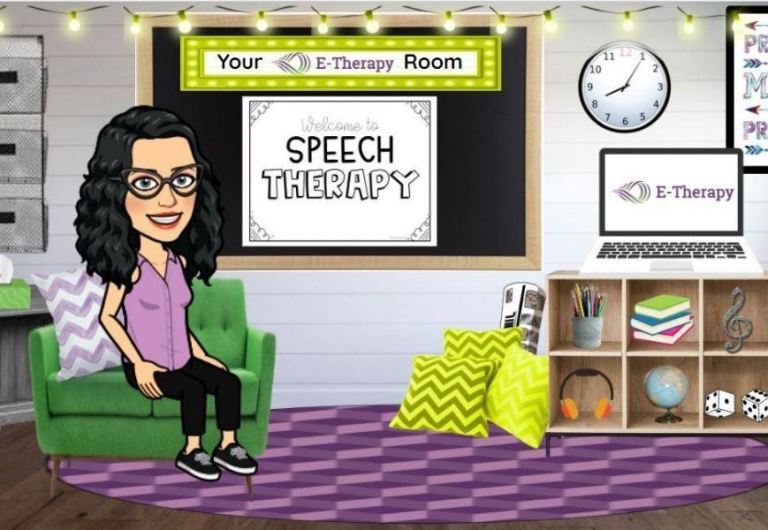
While you can easily create your very own virtual classroom, we know that time is of the essence and not everyone is as tech-savvy as they’d like to be. With that in mind, we’ve created exciting bitmoji classrooms for therapists to pick from! These interactive virtual rooms have a variety of options to add that include games, themes, activities, and more. We have classrooms that suit various disciplines, such as speech, OT, PT, and counseling.

bitmoji classrooms for therapists
Click the image to get your FREE bitmoji classroom template made for therapists and counselors!

Looking to make your therapy classroom even more interactive? You can also add website links, include live videos, stories, and articles—you can even insert free activity worksheets! With the internet at your fingertips, there are endless options. Enjoy integrating whatever resources you think would help your student succeed.

Wading through the sea of available resources would take forever, so we took on the work for you and curated a list of tried-and-true resources that our teletherapists use in their lessons.

Download a PDF version:

bitmoji classrooms for therapists

After you’ve created your virtual Bitmoji classroom, make sure to explore the room with your student. Show them how to interact with the various images and pop-ups, making sure they are one hundred percent comfortable using this new platform. Perhaps ask them what they’d like to see more of? Invite them to be part of the staging process so they are able to visualize and immerse themself into the wide world of digital learning.

Learn how to create your own Bitmoji classrooms

Learn more about our Bitmoji classrooms for therapists or how to create your own Bitmoji classroom, watch our tutorial below.https://www.youtube-nocookie.com/embed/JnMLYokLDZk?feature=oembed&controls=1&autoplay=1&enablejsapi=1&rel=1

We at E-Therapy strive to help you with real-time solutions for your distance learning needs. Let E-Therapy help prepare you for a year of schooling success!

Become an E-Therapist

Interested in making teletherapy a career? Sign up as a therapist and we’ll get in touch! It’s that easy.

Original Source

The Essential Guide To What Teletherapy Is And Who Uses It

What is teletherapy?

Teletherapy was already growing in popularity over the last decade, and then the pandemic forced schools to shut down their buildings and move to online learning. Over night, teletherapy became the only option for special educators, even for those skeptical of its efficacy. But even after a year of online learning, some school administrators still ask us, “What is teletherapy?

The short answer: it’s just like in-person therapy, only it’s presented online.

Teletherapy is a way for therapists to offer their special education services via an online setting through live interactive video conferencing. This type of online therapy is referred to by different names:

  • Teletherapy
  • Telepractice
  • Telehealth
  • Internet Therapy
  • E-Therapy
  • Electronic Therapy
  • Online Counseling

The American Speech-Language and Hearing Association (ASHA) describes teletherapy as a type of delivery where a Speech-Language Pathologist provides therapy and audiology services to a client using technology to bridge the distance. A similar definition can be applied to other disciplines.

Teletherapists, like E-Therapy’s nationwide team of credentialed licensed clinicians, deliver services from a remote, private location using video conferencing technology. E-Therapy specifically focuses on the therapy practices used in educational settings, such as

  • Speech-Language Therapy
  • Occupational Therapy
  • Physical Therapy
  • Counseling & Mental Health Services
  • Psych Ed
  • Assessments & Diagnostics

Your school has unique needs. Learn about E-Therapy’s Direct Services and how we can serve you.

How does teletherapy work?

With teletherapy, the teletherapist and their student log into an online “room” or portal, quite similar to video conferencing or video chatting, to attend the therapy session. They are able to see each other, face-to-face, and communicate live, just as they would in an office or classroom.

With E-Therapy’s video conferencing platform, the therapist can share their screen, so any teletherapy activities and games they want to use during the session can be seen and shared with the student.

Is teletherapy effective?

In the 2018 study, Understanding teletherapy as an option for K-12 Students with Disabilities, researchers found that teletherapy, which focused mainly on young children, was as effective as services delivered with the therapist and the client in the same physical space.

According to ASHA,

“Teletherapy must be of equal quality to the therapy that would be provided in person. Each state has its own specific rules and regulations surrounding teletherapy.”

Teletherapy is HIPAA compliant and legal with specific variations from state to state.

Who is teletherapy for?

guide to teletherapy

Innovative technology for schools in need

Teletherapy is a great option for schools, especially in rural districts, that may not be able to find a therapist in their area due to shortage of therapists or the need to drive from school to school to cover services.

E-Therapy founder, Diana Parafiniuk addressed the need for teletherapy in an ASHA interview, Telepractice in Schools: What Works Best?.

“Due to the therapist shortage, rural and inner-city schools face challenges and have difficulty staffing. Teletherapy offers an alternative for schools that have challenges finding in-person therapists to serve students.”

Offering teletherapy services helps your school district meet these needs by bringing the therapist to you remotely. This way, you can hire therapists licensed in your state from anywhere in the country, without having to worry about drive time or traveling from site to site. It can also help if you are limited on space in your buildings, as the therapist will be working from their own home office.

“Schools that are in need of therapists often find contractors who can only be onsite every other week or once a quarter due to travel and/or the remote location of school, or sometimes there is just a shortage of therapists in an area where a school is located. Teletherapy can offer therapy that meets the IEP frequency of service that is allotted to the student,” said Parafiniuk.

If you are in a virtual school, home-school your students, or even work in a private school setting, teletherapy can be the perfect solution to help you meet your students’ IEP goals, without having to switch your setting or schooling desires. Therapists can be contracted in to work with your students, no matter where you are or what type of school, so you are able to continue learning from where you are, while getting the school-based therapy services your students need.

Become an E-Therapy school partner

E-Therapy partners with hundreds of schools and districts across the United States. We can provide your school with therapists when you need them with E-Therapy’s Direct Services.

Source

Online Speech Therapy Activities For A Strong Start In 2021

Certainly, this school year has had some challenging moments, and there is no doubt that there are more to come. However, it is in everyone’s best interest to look ahead at the learning moments we can create, in order to help our students succeed – whether in person or learning online. With that in mind, we have some suggestions for online speech therapy activities based on what our very own E-Therapists use in their sessions. Our most trusted resources are easy to use and help provide that extra fun in order to make the day brighter. Our therapists not only enjoy these resources, they highly recommend them not just for therapy sessions, but for free time play. 

Bitmoji Classrooms

Yes, that’s right! We built our own Bitmoji classrooms! They are packed with color, images, and full-of-fun learning techniques. Every season and holiday we upload new templates that are chock-full of interactive games, links, and practical learning solutions. These classrooms are sure to keep your students attention while learning is full steam ahead.

Bitmoji Classrooms for SLPs

We have new, interactive articulation therapy templates for your online speech therapy sessions. This is a must-have for SLP E-Therapists! We have several templates available and more to come. These bitmoji room templates are fully customizable, so you can change the links and images to suit your students. You can also use these when having a 1:1 parent session to discuss the learning goals for that particular student. Have fun and create away! 

Click here for complete, free access to all E-Therapy’s bitmoji classrooms: https://forms.gle/adHkU8RoZdJWfNLb9

Get a quick tutorial on how to make your own bitmoji classrooms or edit ours:https://www.youtube-nocookie.com/embed/JnMLYokLDZk?feature=oembed&controls=1&autoplay=1&enablejsapi=1&rel=1

OWLIEBOO

What a fun, creative name for an educational source that promotes playfulness in young children. Owlieboo is a website that teaches a child to use a mouse by playing games that promote learning. Video, games, and online coloring promotes children’s creativity and learning, including reinforcement for fine motor tasks. For this reason, our E-Therapists use this site regularly during their sessions with students. And they have an app! For endless hours of learning and fun, check them out here: https://www.owlieboo.com/

Boom Cards

Our therapists and teachers and parents all over the U.S. recommend Boom Cards.  Boom Cards are interactive lessons that are created by teachers in a gamified way. Features that are close to gaming keep the students engaged and wanting to play more. Since they are self-grading there is no need to spend extra time on seeing how the student is doing. The data that you need for your session is right in front of you and saves time from grading each session. And, they come in various languages. To get started click here: https://wow.boomlearning.com/

Mommy Speech Therapy 

This website is loaded and we mean loaded with online speech therapy activities for your sessions. From articulation, speech structure, fluency, and literacy, and much more, these videos, articles, activities, and stickers provide hours of learning fun.

SLP, Maegan Duplantis, recommends Mommy Speech Therapy. She says, “I use this site a lot! I like to have the students make up silly stories using the story structure cue cards and story organizer activity. It’s great to use for articulation, as well as semantics, syntax, and even pragmatics.”

Tiny Tap 

Tiny Tap website lets you to choose your student’s age for a host of online therapy games and interactive lessons. There is an option for a free membership or a small fee to upgrade your membership for full access. The possibilities are endless with subjects in math, science, foreign language, social studies, and more. Online speech therapy even has its own section! The website was created to help with personalized education in mind. Given the right tools, students can learn and grow. Our staff loves Tiny Tap! Check them out here: https://www.tinytap.it/

Get more resources

We hope you love our selections of online speech therapy activities and websites to help your students with their therapy sessions. These are key trusted sites, because our therapists know they work, . They are engaging, fun, and most importantly the students learn and grow. We have many more resources and helpful tools that you can use, just visit the Teletherapy Activities section of the Empower Blog for these resources. 

About the author

Diana Parafiniuk, M.S., CCC-SLP 

Co-Founder/Chief Marketing Officer

Diana founded E-Therapy in 2009 after finding herself driving hundreds of miles per week. She knew there must be a better way to deliver speech therapy to students and schools. Today, E-Therapy is an established market leader in teletherapy which provides the highest quality services and reaches students and schools across the United States. Read more about Diana.

Source

Design a site like this with WordPress.com
Get started