A Revolutionary Platform: eSMART

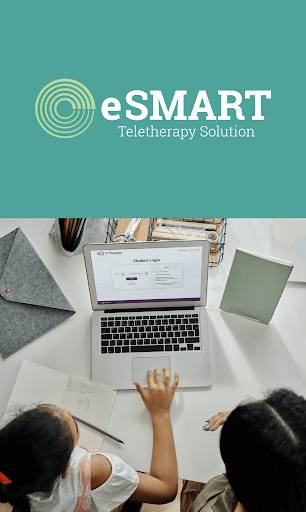
Wouldn’t it be nice to transform your Student Services staff into teletherapy experts to help your special education students? You can! eSMART is here to do just that! eSMART is a licensed platform that was created by E-Therapy for a solution that allows your team to grow, nurture, and ensure support for your students. With an ongoing pandemic and no promised end, E-Therapy is here to help your school become the best it can be while supporting your students, special education staff, and administrators. In a world where nothing is perfect, eSMART is pretty close – providing schools with a customized platform that fits their needs. 

What is eSMART? eSMART is a revolutionary platform that was created specifically out of the need for instant teletherapy tracking, monitoring, real-time data reports, private online therapy rooms, session tracking, on-demand webinars, and so much more. More than a tracking platform, E-Therapy understands the power the right tools can provide, and what your school needs to succeed. Whether you’re a large public school district or a small private school, virtual or traditional, eSMART has a solution that will work for you and your school.

Our platform serves a variety of students that face unique challenges and situations every day. That’s why we designed eSMART to be the leading teletherapy management platform that each school can count on, with no minimum caseloads and no commitments.

Features of eSMART

You will be amazed at what all eSMART can do for your team. Our featured benefits are: 

  • Quick onboard with one-on-one therapist training
  • On-demand videos and webinars
  • Secure, private online therapy rooms with encrypted login
  • Session tracking and real-time data reports
  • Monitoring tools and time tracking features 
  • Built-in compliance features
  • Smart session scheduler and communication tools 
  • Therapist toolbox with a dedicated account manager 
  • Unique free activities that you can use in each session
  • Secure instant messaging with technical and customer phone support

Ask us today how you can start to use eSMART immediately for your special education team. We are just a phone call away. Get in touch!

Source

Social Emotional Learning Aligned With Art Curriculum

Common Core Standards in reading, math, and science require a deeper understanding of core SEL skills and the ability for students to apply them.  Aligning arts instruction with social emotional learning (SEL) education is a natural alignment for teaching these skills to children. In today’s blog, guest author Sue Laue, an SEL expert trainer and coach, introduces us to an award-winning creative arts program, Open Studio Project.

Social Emotional Learning and Art

by Sue Laue, Open Studio Project, Inc.

Open Studio ProjectInc. in Evanston, IL, has developed a new, evidence-based SEL and Art/Art Therapy Curriculum, PreK-8, being taught in Chicago and Evanston elementary schools for both general and diverse learners. Lessons reflect OSP’s mission: “To serve the community by teaching and disseminating an evidence-based, creative process allowing youth of all ages, abilities and backgrounds to experience art, SEL and equity as avenues for growth.” 

Sarah Laing, OSP Executive Director, believes that

“developmental relationships, self-reflection on learning, and SEL skills built through art/art therapy are foundational in understanding how social and emotional learning happens and in building a joyful, inclusive, successful community.”

With OSP’s Curriculum, based on its unique creative process, children learn through fun, imaginative SEL instruction aligned with 12 creative visual arts/art therapy lessons or projects to express their own voice and experience equity. In a hands-on maker-space, students are empowered to imagine art, interact productively, express a healthy sense of self and community, and work effectively toward goals. 

OSP’s Personalized Learning Philosophy

Students learn through art lessons incorporating emotion management, attention/focus, listening, communication, relationship-building, sharing, goal-setting, and decision-making through free-choice, personalized creation, inquiry, shared planning, reflection, and witnessing their work individually or for the group. 

OSP guidelines and philosophy for all its projects and lessons are well suited for SEL skills instruction in a personalized learning setting. Guidelines include:

  1. The “no comment” rule – students create without critique
  2. The use of referencing – students may use other ideas/art to create
  3. Independent art-making – following what feels pleasurable, one’s curiosity
  4. Taking artistic risks – turning mistakes into unexpected avenues for exploration
  5.  Setting an “intention” for creation and “witnessing” their art for others with one or two words or by participating in a group conversation (older students)
  6. Reflection on one’s artistic creation, social and emotional learning skills
  7. Use of artistic and social and emotional vocabulary words to enhance learning
  8. Community building within and beyond the classroom with group projects or displays.

SEL & Art/Art Therapy Curriculum Outcomes

Research by Lenka Mynaříková, Prague, 2012, Art-Based Program for Social and Emotional Development of Children, showed that SEL instruction and art therapy for diverse learners, Grade 5, ages 11-12, some with autism, ADHD, and dyslexia and/or dysorthographia (issues with spelling and/or writing), “helped them to express themselves and communicate with others by using drawings, music, or movement.”  

Assessment also showed that children were more confident in expressing their identity, more content with the class climate, and they thought of their class as a more safe, intimate, and cooperative environment.

OSP’s SEL & Art/Art Therapy Curriculum pilot program with students displaying communication disorders and autism showed that they improved their use of social and emotional skills by 17-25 percent after the 12 to 16-week program. The OSP SEL Assessment Survey Tool is included with the Curriculum.

OSP’s Robust Art/Art Therapy Projects

OSP K-8 SEL & Art Curriculum lessons were sequenced by OSP art instructors and SEL consultant to reflect the OSP creative learning process and the social and emotional skills instructional sequence below.  A similar Curriculum outline is available for PreK students. Learning sessions are about 45-50 minutes. Emotion faces handouts, a student emotions rating chart for teachers and a student cool-down tool are included.

Lesson #1    Art Animals – 2 sessions
SEL Skill: Self-Awareness   

Lesson #2    The Shape of Me
SEL Skill: Self-Awareness   

Lesson #3    Food Feast
SEL Skill: Self-Awareness & Self-Management

Lesson #4    Under the Ocean – 2 sessions
SEL Skill: Self-Management & Social Awareness

Lesson #5    Into the Woods        
SEL Skill: Self-Awareness, Self-Management & Social-Awareness

Lesson #6    Outer Space – 2 sessions
SEL Skill: Self-Management, Social Awareness & Responsible Decision-Making

Lesson #7    Metamorphosis        
SEL Skill: Self-Management & Responsible Decision-Making

Lesson #8    Treasure Box
SEL Skill: Social Awareness & Relationship Skills

Lesson #9    Thank You Banners
SEL Skill: Social Awareness & Relationship Skills

Lesson #10   Marvelous Machines
SEL Skill: Social Awareness & Relationship Skills

Lesson #11   Art Garden
SEL Skill: Self-Awareness & Responsible Decision-Making

Lesson #12   My Town – 2 sessions
SEL Skill: Self-Awareness, Social Awareness, Relationship Skills & Responsible Decision-Making

social emotional learning and art

Sue Laue, a social-emotional learning trainer and coach is CEO of Behavioral Solutions K-12 & Media Masters, Inc.

Source

Teletherapy Activities: September 2021

It’s here! Back to School time has arrived! Just in time for the new year, we bring you another month filled with all new E-Therapy original activities. Keep reading to unlock your September FREEBIE resources and materials. 

September Calendar of Activities

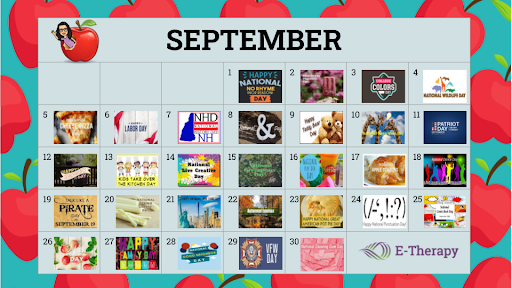
By now, you’ve probably heard about our monthly national day calendars which are jam packed with daily activities that you can use to engage your students in both remote and in-person school settings. Our September calendar is no different and features fun days such as National Cheese Pizza Day (yum!) and National Talk Like a Pirate Day (Argh Matey!). Don’t miss downloading your copy today. 

Fall Dress Up Pets! Jamboard Activity

Dress Up Pets are back! Dress up Cat, Puppy, and Sloth to go to the library, apple orchard, and playground. Our E-Therapy Fall Dress Up Pets! drag and drop Jamboard activity promotes expressive language skills and can be used for teletherapy and onsite settings. 

Fall and Happy Birthday! Virtual Sticker Scenes

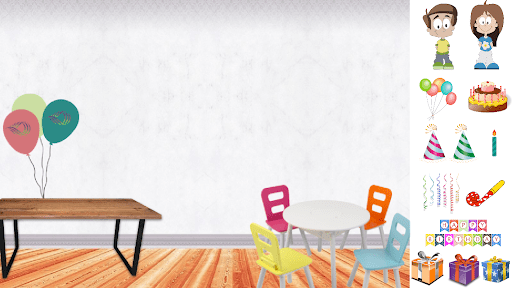
We’re giving you double the fun this September with not just one, but two virtual sticker scenes. Up first is our Fall-Themed Sticker Scene which takes you to a farm. There you and your students can use the Jamboard drag and drop feature to rake leaves, pick apples, visit the sunflower patch, and much more. Our second sticker scene can be used all school year long to celebrate student birthdays in your therapy sessions. Be sure to grab your copy of our Happy Birthday! Sticker Scene to allow your students to target various speech and language goals while creating their very own party scene. 

Fall Jamboard Games for Words with Multiple Meanings

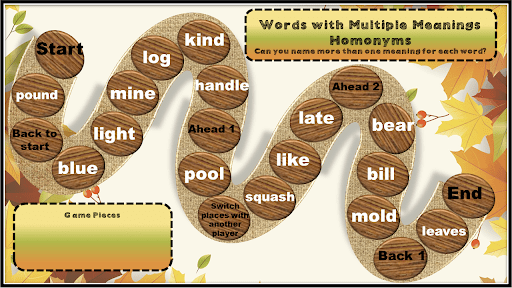
E-Therapy is giving you access to more Jamboard game boards that target multiple meaning words. These new fall-themed boards even have moveable game pieces! Additional game boards can be customized using Jamboard’s annotation tools. Also included are low ink printable versions of the game boards perfect for home practice. Grab your Fall Jamboard Games for Words with Multiple Meanings today!

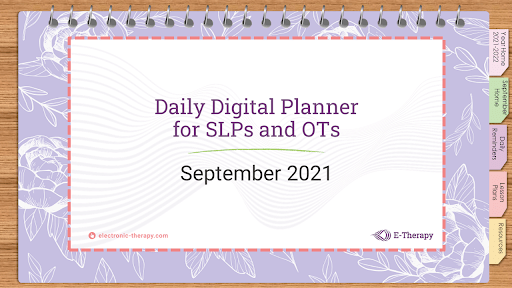
Daily Digital Planner: September 2021

Oh my goodness! You’ve hit the jackpot here with our Daily Digital Planner release! This digital planner is a large hyperlinked PDF that can be used with your computer or tablet. Sections include Yearly Calendar, September 2021 Calendar, Daily Task Reminders, Lesson Plans, and Resources. Tabs and buttons appear throughout the calendar for quick navigation between sections and daily note pages. This is a must see resource and make sure you check back in October for next month’s planner update. 

Get monthly activities to use in your online therapy sessions 

Check out our monthly Activity Round-ups for even more fun online games and activities that can easily be used in your online teletherapy sessions.

Source

Communication Strategies to Use With a Non-Verbal Child

For many of us the ability to talk to our coworkers, friends, and family is something we take for granted. We speak up when we need help, whisper “I love you”, or laugh at a funny joke. But non-verbal children do not have a voice or the ability to use verbal speech effectively.  For them these everyday exchanges are a constant challenge, so we put together a few communication strategy ideas that you can use. 

A few reasons why a child might have limited verbal skills

For some children verbal speech is not something that comes naturally. They may have a physiological difference that makes speech challenging, or they may have a developmental disorder, such as Autism Spectrum Disorder, that causes them to have difficulty using verbal speech to communicate effectively with others. 

Other children may have Childhood Apraxia of Speech or a severe phonological disorder that makes their speech so unintelligible that it is difficult for others to understand them. Given this situation, many children become frustrated with the inability to communicate, and they withdraw into themselves. 

Communicating without using verbal speech

Enter Augmentative and Alternative Communication (AAC). AAC are strategies we can use to communicate in ways other than verbal speech. For children this often means using sign language, picture cards, communication boards, or a speech-generating device. 

Speech-Language Pathologists (SLPs) work with children and caregivers to incorporate AAC strategies into their daily routines so that they can effectively communicate in various environments.

For some children, this may mean taking a flip book of picture cards with them on an outing so that they can point to a corresponding picture to indicate if they need a drink of water or to use the restroom. For others it may mean using a high tech speech-generating device, where they tap buttons on a screen to produce complex sentences during an in-class discussion.  

There are many different types of AAC that can be individualized depending on the student’s particular needs.

AAC communication strategies in teletherapy sessions

What about working with students at a distance? Can augmentative andalternative communication strategies needs be addressed in teletherapy sessions?  

Yes! Teletherapists address AAC in a variety of ways. Here are 3 to consider:

  1. Teletherapists collaborate with caregivers face-to-face during online sessions to discuss device programming. Online therapist coach the caregiver on effective prompts to encourage the student to utilize AAC appropriately. 
  2.   Since many students are motivated by computer activities, teletherapy sessions provide great opportunities for practice with AAC. When a student is learning to utilize their new mode of communication, the teletherapist engages them in a dynamic online game that requires the student to respond and practice using their communication device. 
  3.   Teletherapists are also uniquely positioned to engage with students and caregivers digitally, which is highly conducive for AAC communication. When practicing with picture cards, the therapist can simply display digital versions on the screen. Caregivers often take real pictures of items in the child’s environment and send them to the therapist in a text or email. The therapist then uses those familiar images digitally on the screen with the student, or they can arrange them in a printable communication booklet that the caregiver prints off for use in the community.

It’s amazing to see what is possible when individuals are able to speak for themselves!  

One creative SLP actually used the principles of AAC to give a voice to her dog… and guess what? It totally worked! We are super inspired by this therapist’s “pet” project that truly exemplifies the power of communication. Check it out and let us know what you think:

Source

Voices: Online Therapy Activities From An Occupational Therapist

In this new blog in the Voices Series, Registered Occupational Therapist, Marisa Machado, OTR, shares some tips on getting started with online therapy and keeping your students engaged. Her online therapy activities work on visual motor, visual perceptual, handwriting, fine motor, and keyboarding goals.

Online therapy can be challenging at times, especially for new teletherapists. I still find myself scratching my head on what to do in order to keep the students alert and attentive. From my experience, the best way to approach students in the virtual school setting is to find common ground and let the student lead the way!

When assessing my students, some goals I tend to gravitate towards are visual motor, visual perceptual, handwriting, fine motor, and keyboarding.  These goals are relevant and a ‘must-have’ in the online school setting, especially during this time of COVID-19 when many students will be participating in the virtual world of academics. 

Here are some tips and activities that I hope will help you as you begin your career as a teletherapist!

Handwriting and keyboarding

One thing I find super important in the pediatric OT world and the online setting is handwriting and typing. When I worked in the school setting, I found all my students who struggled in handwriting would also significantly struggle with keyboarding skills. When I began working in the online therapy setting, I discovered that it was the exact same.

After thorough research, I found two common misconceptions:

  1. Learning to type is easy
  2. Students that have difficulty with handwriting will learn to type easily

Rather, these two skills go hand-in-hand. For example, if a child has difficulty with motor planning such as bilateral coordination, eye-hand coordination, visual perceptual and fine motor, then typically his/her handwriting will also have these difficulties when initially learning to use a keyboard to type. Therefore, I always try to incorporate this in my IEP goals. 

Handwriting activity

Roll-A-Story with virtual dice is story writing and handwriting with fine motor and pencil control exercise using paper/pencil. I usually email the parent handwriting worksheets for the month and ask the family to provide a plastic sheet protector and dry erase marker for session use.

Tidbit for handwriting during an online therapy session

Handwriting can be tricky at times. Ideally, a separate webcam would be helpful, however, most students don’t have this available. Therefore, I found if the student would simply push the computer back, this helps provide more handwriting space on the table and positions the camera so I am able to see their writing skills effectively. This of course takes trial and error. 

Other online therapy activities for OT goals

Visual motor skills

My students enjoy using various apps and website with activities like:

  • Follow the path
  • Digital coloring pages
  • Interactive games with Connect Four, Tic-tac-toe, and Battleship

Typing skills

Numerous websites have keyboarding games. These are some of my favorites:

  • Dance Mat typing
  • Typing.com
  • RaceNow
  • Typetastic!
  • Speed Typing
  • Word processor activities

Visual perceptual skills

One website I frequently use is Digipuzzle for matching cards, mazes, puzzles, word searches, Find the Difference, Labyrinth and Mosaics.

Parent education

The best thing about teletherapy is during sessions we are able to educate the parent and student at the same time. I find this ensures better carryover at home. I try to send OT resources monthly to parents so they are aware of their students progress and provide resources for continued education within the home environment.

For more teletherapy activities to use in your own online therapy sessions, check out the Activities category of the E-Therapy blog.

Source

Voices: How A High School Senior Helps Kids Graduate

E-Therapy’s Voices series returns with a guest blogger that has been in the education world for 12 years – as a student! Aden Faris is a high school senior who saw his peers struggling with school work during last year’s school closures and subsequent move to online learning. With a heart for his community and an entrepreneurial spirit, he created a free tutoring platform called DiploGrad that pairs students in need with a tutoring partner.

What DiploGrad means

Diplo means in pairs. For instance, diplo-bacteria are bacterial cells conjoined in pairs. And grad is an abbreviation for graduate or graduating. Put them together and you’ve got “DiploGrad” which means to graduate in pairs.

This may not make sense at first, but Aden Faris, a high school senior who recognized a need and created a solution, uses this idea for his program that gives high school students the opportunity to help other high school students and ultimately diplograd.

The creation of DiploGrad

During the peak of Covid-19 last school year, good students were failing classes for the first time. When speaking with these students, Aden heard things such as, “I didn’t understand the instructions” or “I didn’t fully understand the lesson.” When he asked why they didn’t go to the teacher for assistance they said, “I didn’t want the teacher to think I wasn’t paying attention.”

In doing research on the best ways for people to learn, Aden discovered that working in pairs was one of the more effective methods. It forces both students to be involved, unlike in larger groups, because they can help each other, catch their mistakes, struggle together, and work through problems they don’t understand. After comprehending and digesting the information, the creation of DiploGrad began.

How DiploGrad works

DiploGrad is a website and mobile app designed as a place for students to meet, learn, and much more. Students will find learning options for all comfort levels:

  • ask questions directly on the forums
  • do their own research
  • learn using resources from a curated resources page
  • message a member directly
  • book a 30-minute zoom meeting with a tutor

Advanced students have the opportunity to become a tutor for others and earn volunteer hours for clubs or college applications.

The best part about DiploGrad is it’s completely FREE!

Looking ahead to scholarships

Aden has big plans for DiploGrad. He would like to award scholarships to students who value their education and want to improve the world. To offer these scholarships, the site collects donations, sponsorships, and proceeds from purchased merchandise. It all goes towards the scholarship fund. The goal is to raise $100,000 by the end of the school year to supply plenty of substantial scholarships.

Join Or Donate Today!

DiploGrad is entirely free. Everything can be accessed with a free sign-up.  Visit DiploGrad.com to see how Aden Faris is making a difference.

Follow DiploGrad on Instagram at @official_diplograd

About the Founder

diplograd

Aden Faris is a senior at Fort Collins High School. He is a member of the math honor society, the National Society of High School Scholars (NSHSS), a peer counselor for his school, and a board member of the National Honor Society( NHS). He runs cross country, wrestles, rock climbs, work a job, and recently has been designing a website.

“I have always been a person who enjoys learning new things and researching obscure hypotheticals,” said Faris. “I love to help my community by mowing lawns and shoveling, and I hope with this website to continue my service.”

Source

5 Ways To Break The Monotony Of Online Learning

by Diana Parafiniuk, founder of E-Therapy

Online learning can turn into a monotonous activity for students and teachers. As teletherapists, we know that keeping your students’ attention during online classes is not an easy task. Many students enthusiastic about being online for all their classes has waned, and at this point, they would much rather be in the classroom. We can feel their pain (and yours!). Here are 5 tested ways to break the monotony of online learning while promoting collaboration and growth during your remote classes. If you adopt some of these ideas, you will notice that your students are happier and more engaged! 

1. Collaborate with other classrooms

Know another teacher in your school district or another district? Plan to meet online with your classes to do a joint lesson! Pair up students in groups of 2 or 4 and use zoom waiting rooms. The students that are in the small rooms work together to complete their lesson, assignment, or even a get-to-know-you session.

Incorporating these fun days into your online classroom will help students to become engaged and meet other students/friends through safe practices. There are many lesson plans you can use to incorporate into these sessions. And your students could make new friends virtually anywhere. 

2. Use online growth charts

Have each student create their own online growth charts with the standards that you set. You can use a variety of platforms to complete this lesson- such as a standard chart you find online, creating one through PowerPoint, Google Slides, or Google Classroom. Students can add images of themselves and use their favorite colors to create a growth chart that they are excited about. Digital stickers and other digital awards can be found from We AreTeachers. 

3. Use STEM/STEAM in your online classroom

In school STEM/STEAM lessons often require students to collaborate and build things with their hands. What a great way to break the monotony of just being in an online classroom. Student lessons can be prepared and picked up ahead of time and they can even include family members. Try pairing students so they can research and collaborate to complete the lesson. Sstudents enjoy the active, social aspect of the lesson while developing their critical thinking skills. It’s also fun for you to teach a virtual STEM lesson to your students.

Here are some online STEM activities to get you started.

4. Prepare micro-lessons for small groups

Mix up your week-to-week lessons by making plans for smaller group work. Interaction is key to breaking the monotony of online learning and keeping students engaged. You can mix up the classroom to create student groups that don’t normally interact with each other. These micro-lessons let students co-create and use peer interaction to engage and not get bored by watching a zoom lesson. Create small mini-lessons that require students to use a mix of learning techniques such as video, games, audio, and presentations. You can also do a fun peer review at the end where everyone gets a chance to vote for the favorite project that was created. 

Find plenty of lesson plans designed for small groups at all grade levels on Teachers Pay Teachers.

5. Mix it up with pop-up sessions! 

Mix it up with polls, dancing, movement, and mindfulness! Incorporate some fun interactive polls into your lesson that your students can answer with virtual stickers, emojis, and thumbs up or thumbs down emoticons. Once the polls are done you can talk to your kids about their answers and even reward the class for the correct answers.

Another fun way to keep students active is to have either a dance party or a stretch session. You can do this by acting like it is a pop-quiz time and instead play some fun music or do some stretching. There are many different ways to keep your students engaged by doing these fun interactive pop-up sessions that incorporate movement, playfulness, and learning. Here’s one of our favorites for the littles

We hope you like our ideas and inspiration for classroom collaboration. We know your students will enjoy a little break from the monotony of sitting through another virtual class. Who doesn’t want to have a little fun throughout the day?

Need more activities, games and resources?

Every month, our teletherapists share great websites, games, and activities that they use with their students. These are useful for regular classroom teachers too, so be sure to share with your colleagues at school. Visit Teletherapy Activities on the E-Therapy blog. 

Source

Start Your Own Telepractice Or Join A Teletherapy Company?

After the stressful year and a half that educators had due to Covid-19, many therapists are entering summer break with an introspective look at their lives and careers. Teletherapy may not have been a choice before, but after school closures and a hit to their mental health and wellbeing, school-based therapists are making a choice to start their own telepractice or join a teletherapy company like E-Therapy.

Teletherapy is a great way for speech language pathologists, physical and occupational therapists, and mental health professionals to gain experience, refresh their careers, manage their own schedule, and work with students from all over the country. It can also be a fantastic way to build more income, especially if you live in a remote area without many opportunities. But first you need to decide whether you want to start your own teletherapy practice or work for a teletherapy company. 

How do you get started in teletherapy, and what you will need?

The process is relatively simple and very similar to getting started in any setting, with a few key pieces that help you to take your therapy practice online. 

Start a teletherapy practice or join a company?

Something to consider when getting started in teletherapy is how you will receive and take on referrals for clients and students. You can venture out on your own as a private practice or you can work with an established teletherapy company. Either way has its benefits and risks.

Start your own teletherapy practice

Venturing out on your own means you are responsible for all licensing, insurance, tax, marketing, billing, and building a client list, plus bunches of other small-business and compliance related things. It takes a lot of leg work, but fortunately there are many agencies and organizations that help people establish their own small business. Browse this checklist of things to do to start your business. If it exhausts you just reading through the list, then it may be too much for you now.

Licensure

An important factor in telepractice, your own or if you are with a teletherapy company, is licensure. Since you are online, you do not have geographical boundaries, but you must be licensed in the states your students are located. It is not difficult, just another step in building your business. You don’t need to do it all at once either, so start where you are, and add on as needed. ASHA has a state-by-state list of contacts and licensure information.

Technology

You are also responsible for your own technology. Teletherapy is built on video-conferencing tech. Happily, there are many popular video conferencing platforms out there –  Zoom, GoToMeeting, even Facebook Live. Choose one that you are comfortable using, then learn it well, so if anything goes wrong during a live session, you won’t panic. Don’t forget security and privacy issues when researching which platform to go with!

Paperwork

Once you get the credentials and physical setup complete, you will need to learn to handle the never-ending paperwork. It could be a myriad of things from progress reports, to IEP meeting notes, billing cycles,  and therapy plans. You name it, it’s your responsibility. Just plan segments of time in your schedule for paperwork.

Truthfully, setting up your own telepractice is a lot of work at the beginning. But once you get everything up and rolling, it should work fairly automatically. The best part is that you get to keep anything you bring in financially! 

Work with a teletherapy company like E-Therapy

If you work with a teletherapy company, like E-Therapy, all the behind-the-scenes business details are taken care of. They will provide you with the proper paperwork and give you instructions that make it easy and quick. E-Therapy has a team in place that handles billing and insurance, so you will not have to worry about learning how to keep track of these tasks.

Our teletherapists use the eSMART platform, an all-inclusive, complete teletherapy management solution that has security and privacy components built in. You will also have access to a library of resources like tested activities for online therapy, plus diagnostics, assessments, and reporting.

Obtaining clients is easier, too. For example, E-Therapy works with public, private, virtual, and charter schools across the United States. Our account managers have hours for the states you prefer and can assign you referrals.

You get to decide when you want to work, having total control over your own schedule.

How to find the best teletherapy company

Try a simple Google search for companies that are hiring in your state or in a state that you would be willing to get licensed in. Once you find a few different teletherapy companies, see which ones fit your needs. It is important to look at things like:

  • hourly rates or salary
  • states and hours that are available
  • indirect vs direct time
  • how referrals come in
  • platforms used
  • the company culture

This will help you decide if it is the right place for you to start your journey into teletherapy. Check out E-Therapy’s Teletherapy Jobs FAQ for more info. 

Take your first step to a teletherapy career with E-Therapy

E-Therapy works with hundreds of therapists and the need for more is growing. If you are interested in joining our team to provide live face-to-face online Speech-Language, Occupational, and Physical Therapy or Counseling/Social Work and Assessments/Diagnostics, then check out E-Therapy’s current Job Opportunities.

If you are not quite ready or if there are no jobs that suit you today, sign up as a therapist and we will be in touch.

Source

Voices: Online Therapy Activities From An Occupational Therapist

In this new blog in the Voices Series, Registered Occupational Therapist, Marisa Machado, OTR, shares some tips on getting started with online therapy and keeping your students engaged. Her online therapy activities work on visual motor, visual perceptual, handwriting, fine motor, and keyboarding goals.

Online therapy can be challenging at times, especially for new teletherapists. I still find myself scratching my head on what to do in order to keep the students alert and attentive. From my experience, the best way to approach students in the virtual school setting is to find common ground and let the student lead the way!

When assessing my students, some goals I tend to gravitate towards are visual motor, visual perceptual, handwriting, fine motor, and keyboarding.  These goals are relevant and a ‘must-have’ in the online school setting, especially during this time of COVID-19 when many students will be participating in the virtual world of academics. 

Here are some tips and activities that I hope will help you as you begin your career as a teletherapist!

Handwriting and keyboarding

One thing I find super important in the pediatric OT world and the online setting is handwriting and typing. When I worked in the school setting, I found all my students who struggled in handwriting would also significantly struggle with keyboarding skills. When I began working in the online therapy setting, I discovered that it was the exact same.

After thorough research, I found two common misconceptions:

  1. Learning to type is easy
  2. Students that have difficulty with handwriting will learn to type easily

Rather, these two skills go hand-in-hand. For example, if a child has difficulty with motor planning such as bilateral coordination, eye-hand coordination, visual perceptual and fine motor, then typically his/her handwriting will also have these difficulties when initially learning to use a keyboard to type. Therefore, I always try to incorporate this in my IEP goals. 

Handwriting activity

Roll-A-Story with virtual dice is story writing and handwriting with fine motor and pencil control exercise using paper/pencil. I usually email the parent handwriting worksheets for the month and ask the family to provide a plastic sheet protector and dry erase marker for session use.

Tidbit for handwriting during an online therapy session

Handwriting can be tricky at times. Ideally, a separate webcam would be helpful, however, most students don’t have this available. Therefore, I found if the student would simply push the computer back, this helps provide more handwriting space on the table and positions the camera so I am able to see their writing skills effectively. This of course takes trial and error. 

Other online therapy activities for OT goals

Visual motor skills

My students enjoy using various apps and website with activities like:

  • Follow the path
  • Digital coloring pages
  • Interactive games with Connect Four, Tic-tac-toe, and Battleship

Typing skills

Numerous websites have keyboarding games. These are some of my favorites:

  • Dance Mat typing
  • Typing.com
  • RaceNow
  • Typetastic!
  • Speed Typing
  • Word processor activities

Visual perceptual skills

One website I frequently use is Digipuzzle for matching cards, mazes, puzzles, word searches, Find the Difference, Labyrinth and Mosaics.

Parent education

The best thing about teletherapy is during sessions we are able to educate the parent and student at the same time. I find this ensures better carryover at home. I try to send OT resources monthly to parents so they are aware of their students progress and provide resources for continued education within the home environment.

For more teletherapy activities to use in your own online therapy sessions, check out the Activities category of the E-Therapy blog.

source

Teletherapy Activities And Calendar: August 2021

Summer is flying by and back-to-school pre-planning is just around the corner for many.  Here at E-Therapy, our experienced SLPs have been busy creating back-to-school teletherapy activities to fill your August lesson plans and to help you feel well-prepared as you transition back from summer break. Check out our new Resource Library for free games, activities, and calendars. And get your FREE August activities below designed to start your school year off on the right foot.

August Calendar of Activities

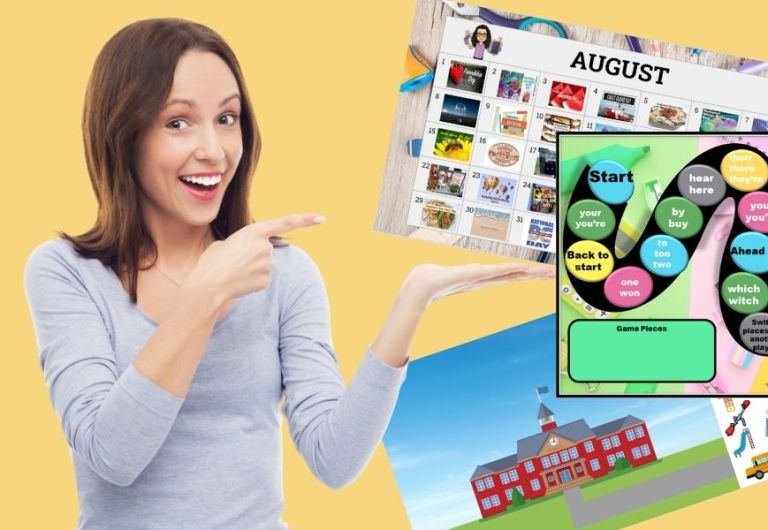
If you haven’t yet tried out our E-Therapy national day calendars, don’t wait any longer! We’ve compiled all the very best of August national days and have linked each day to a website or activity that you can use to interact with and engage your students. Download your August National Day calendar copy today so you don’t miss all the fun we have in store on National S’mores Day and National Dog Day just to name a few. 

teletherapy activities

Back to School Jamboard Puzzles 

Drag and drop puzzle pieces into a square to create a back to school theme scene or image. Double check—are the pieces in the right spots? What did you make a picture of? What do you notice? Our E-Therapy Back to School Jamboard Puzzles are most appropriate for students in 2nd through 4th grade and are great open-ended activities to promote receptive and expressive language skills and articulation carryover. The puzzles can be used in teletherapy and with iPads using the Jamboard app.

teletherapy activities

Back to School Virtual Sticker Scenes

Just in time to head back to school, we created a new set of our E-Therapy Sticker Scenes: Back to School edition. Our Jamboard sticker scenes allow versatility by using the drag and drop feature to move “stickers” around the scene. When using these virtual scenes, therapists can easily share mouse control with students via remote access offered  in many teletherapy platforms or the therapist can maintain mouse control while encouraging students to use expressive skills. This month we bring you three fun back to school options including an outside school scene, an inside the classroom scene, and a remote learner environment. Grab your free copy of back to school virutal sticker scenes from our Resources Library!

teletherapy activities

Jamboard Games for Multiple Meaning Words: Back to School Theme

Jamboard is a great format for both teletherapy and onsite session activities. Images of game boards can be embedded into the backgrounds of the Jamboard frames. When images of game pieces are added, they can easily be moved around the boards during screen sharing and when using the Jamboard app on the iPad. Be sure to check out our cool Back to School Themed Multiple Meaning Word Jamboard game in the Resources Library. 

teletherapy activities

BONUS: Printable Lesson Plan Templates

Sometimes using printable lesson plans is the way to go. Just because paper and pencil may feel “old school” doesn’t mean it is any less efficient or effective. E-Therapy’s Printable Lesson Plan Templates  were designed with speech therapy and teletherapy in mind and offer forms not just for lesson planning, but also for session tracking and student responses. Take a peek and see if these templates might be just what you’re looking for to kick off the school year!

teletherapy activities

Get monthly teletherapy activities to use in your online therapy sessions 

Check out our Resources Library and monthly Teletherapy Activities for even more fun online games and activities that can easily be used in your online teletherapy sessions.

Source

Design a site like this with WordPress.com
Get started